
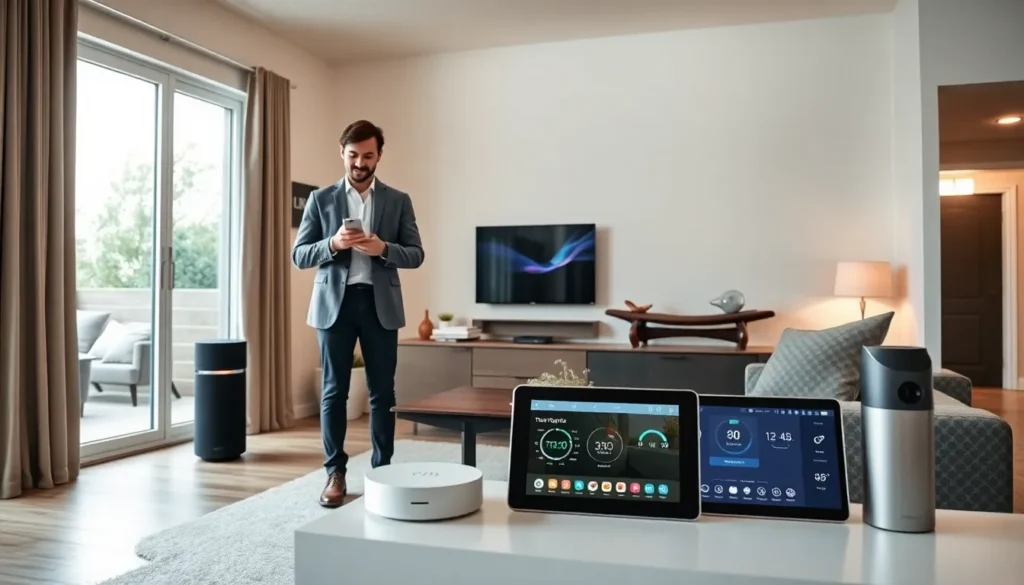

Smart home tech transforms ordinary houses into connected, automated spaces. Homeowners can control lights, thermostats, locks, and entertainment systems from a single app or voice command. The technology sounds complex, but getting started is simpler than most people expect.
This guide breaks down the essentials of smart home tech. It covers hubs, devices, network setup, and expansion strategies. Whether someone wants to automate a single room or their entire home, these steps provide a clear path forward.
Table of Contents
ToggleKey Takeaways
- Smart home tech connects devices like lights, thermostats, and locks, allowing control through a single app or voice command.
- Choose a smart home hub (Amazon Echo, Google Nest, Apple HomePod, or SmartThings) based on your existing devices and preferred voice assistant.
- Start with beginner-friendly devices like smart speakers, bulbs, plugs, and thermostats before expanding to a full setup.
- A strong Wi-Fi network is essential—upgrade to a Wi-Fi 6 or mesh router and place smart devices on a separate guest network for security.
- Stick to one ecosystem and expand room by room to avoid compatibility issues and simplify daily use.
- Look for Matter-compatible products to future-proof your smart home tech investment across multiple platforms.
Understanding Smart Home Basics
Smart home tech refers to devices that connect to the internet and communicate with each other. These devices respond to commands from smartphones, tablets, or voice assistants like Alexa and Google Assistant.
The core concept is automation. A smart thermostat learns a household’s schedule and adjusts temperature automatically. Smart lights turn on at sunset without anyone touching a switch. Motion sensors trigger cameras or alarms when they detect movement.
Three main communication protocols power smart home tech:
- Wi-Fi: Most common and easiest to set up. Devices connect directly to a home router.
- Zigbee: Low-power protocol that creates a mesh network. Devices relay signals to extend range.
- Z-Wave: Similar to Zigbee but uses different radio frequencies. Known for reliable connections.
Some smart home tech works independently. A smart plug doesn’t need anything except Wi-Fi. Other devices require a central hub to function. Understanding this distinction helps buyers avoid compatibility headaches later.
Choosing The Right Smart Home Hub
A smart home hub acts as the central brain of a connected home. It allows different devices to communicate, even if they use different protocols.
Popular smart home hub options include:
- Amazon Echo (with Alexa): Works with thousands of devices. Voice control is built in. Great for people already in the Amazon ecosystem.
- Google Nest Hub: Integrates tightly with Google services. Offers a touchscreen display for visual controls.
- Apple HomePod: Best for households with iPhones and iPads. Uses HomeKit, which has strict security standards.
- Samsung SmartThings: Supports Zigbee, Z-Wave, and Wi-Fi devices. Offers flexibility for advanced users.
When selecting a hub for smart home tech, buyers should consider three factors. First, what devices do they already own? Second, which voice assistant does the household prefer? Third, how many protocols does the hub support?
Some people skip dedicated hubs entirely. They use a voice assistant like Alexa or Google Assistant as a basic controller. This approach works for simple setups with Wi-Fi-only devices.
Essential Smart Devices For Beginners
New users shouldn’t buy everything at once. Starting with a few essential devices makes the transition to smart home tech manageable.
Smart Speakers and Displays
A smart speaker provides voice control for the entire system. Amazon Echo Dot, Google Nest Mini, and Apple HomePod Mini are affordable entry points. Smart displays add visual feedback and video calling features.
Smart Lighting
Smart bulbs offer immediate results. Philips Hue, LIFX, and Wyze bulbs let users change colors, set schedules, and dim lights remotely. Smart switches are better for homes with many bulbs in one fixture.
Smart Plugs
These devices turn any appliance into smart home tech. Plug a lamp or coffee maker into a smart plug, and it becomes controllable via app or voice. They’re cheap, often under $15, and require zero installation.
Smart Thermostats
Nest, Ecobee, and Honeywell thermostats learn household patterns and save energy. Many utility companies offer rebates for installing them. They typically pay for themselves within two years through reduced energy bills.
Smart Locks and Doorbells
Video doorbells like Ring and Nest Hello show visitors on a smartphone screen. Smart locks eliminate the need for physical keys. Both devices improve home security without major renovation.
Setting Up Your Smart Home Network
A reliable network is the foundation of any smart home tech setup. Without strong Wi-Fi, devices disconnect and automations fail.
Upgrade Your Router
Older routers struggle with multiple connected devices. A modern Wi-Fi 6 router handles dozens of smart devices without slowing down. Mesh router systems like Eero, Google Nest Wifi, and Orbi eliminate dead zones in larger homes.
Create a Separate Network
Security experts recommend putting smart home tech on a guest network. This isolates devices from computers and phones that store sensitive data. If a smart device gets compromised, the attacker can’t access the main network.
Position Devices Strategically
Smart home tech works best when devices have clear paths to the router or hub. Thick walls, metal appliances, and large mirrors block wireless signals. Zigbee and Z-Wave devices create mesh networks, so adding more devices can actually improve coverage.
Update Firmware Regularly
Manufacturers release updates to fix bugs and patch security holes. Most smart home tech updates automatically, but users should check settings occasionally. Outdated firmware creates vulnerabilities.
Tips For Expanding Your Smart Home System
Once the basics are in place, expanding smart home tech becomes addictive. Here’s how to grow a system without creating chaos.
Stick to one ecosystem when possible. Mixing Amazon, Google, and Apple devices works, but it adds friction. Voice commands become confusing. Automations require workarounds. Choosing one primary platform simplifies daily use.
Add devices room by room. Trying to automate an entire house at once leads to frustration. Master one room’s smart home tech before moving to the next. This approach reveals what works and what doesn’t.
Use scenes and routines. Most hubs allow grouped commands. A “Good Morning” routine can turn on lights, start the coffee maker, and read the day’s weather. A “Movie Night” scene dims lights and turns on the TV. These automations make smart home tech genuinely useful.
Consider future compatibility. The Matter protocol, launched in 2022, aims to unify smart home tech across brands. Devices with Matter support will work with any major platform. Buying Matter-compatible products now protects against obsolescence.
Monitor energy use. Many smart home tech devices report power consumption. Smart plugs with energy monitoring reveal which appliances waste electricity. This data helps households cut utility bills.


